
69 lines
2.9 KiB
Markdown
69 lines
2.9 KiB
Markdown
<p align="center"> [中文] | [<a href="README_en.md">English</a>]</p>
|
||
|
||
# 📑简介
|
||
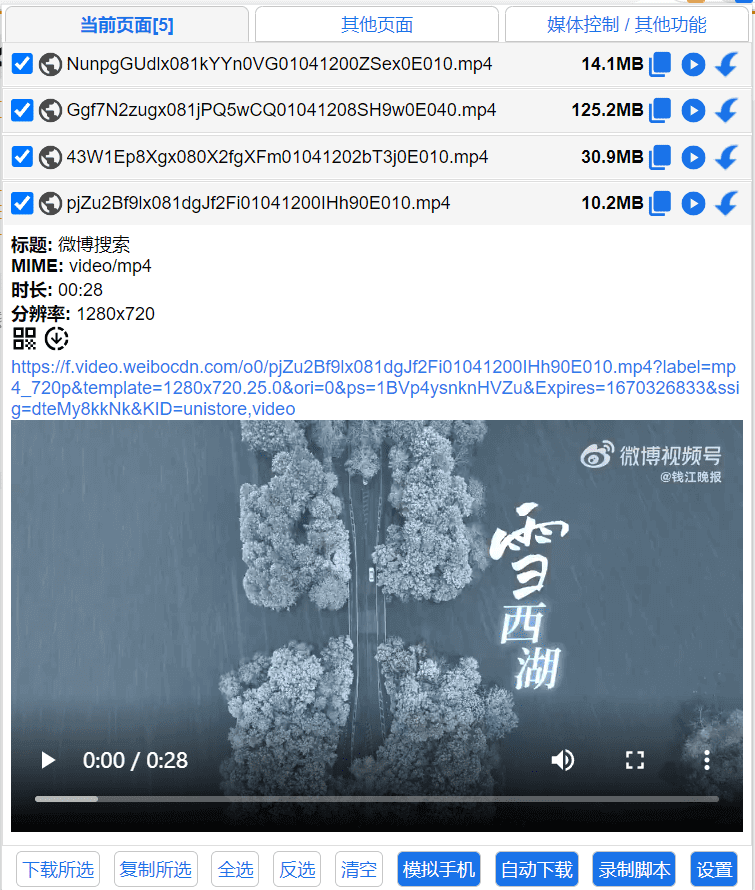
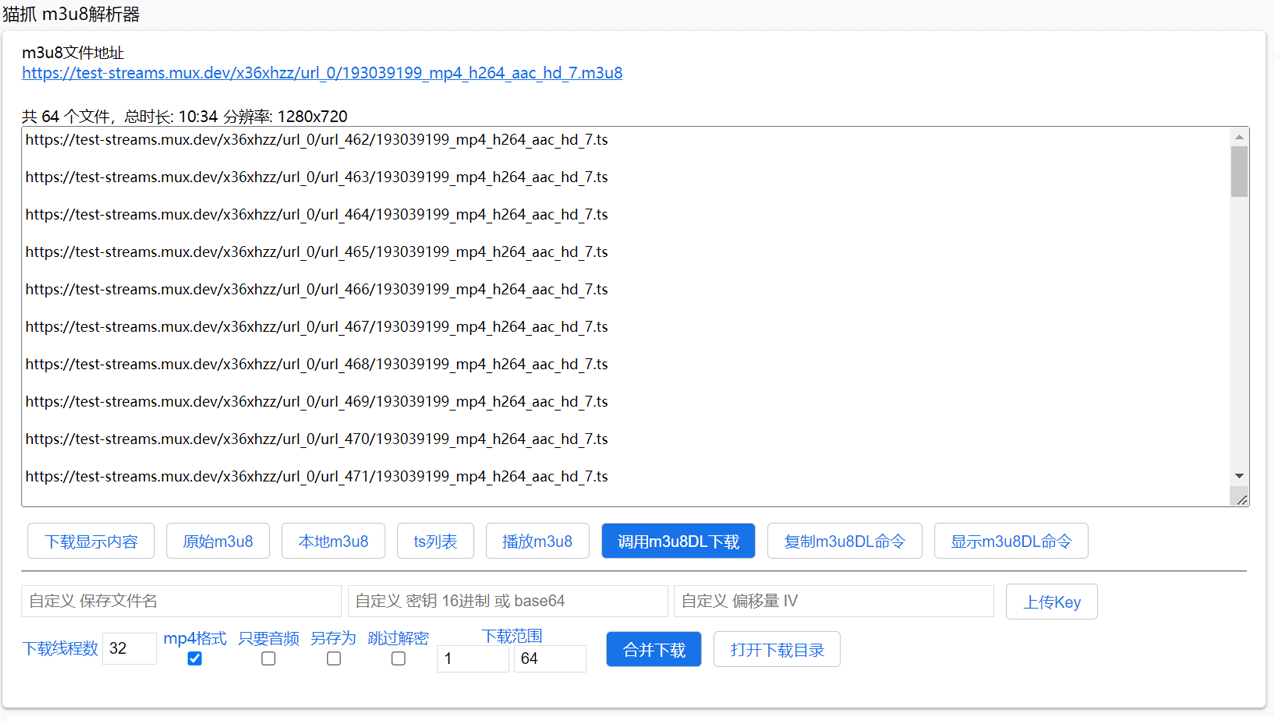
猫抓(cat-catch) 资源嗅探扩展,能够帮你筛选列出当前页面的资源。
|
||
|
||
# 📖安装地址
|
||
## 🐴Chrome
|
||
https://chrome.google.com/webstore/detail/jfedfbgedapdagkghmgibemcoggfppbb
|
||
## 🦄Edge
|
||
https://microsoftedge.microsoft.com/addons/detail/oohmdefbjalncfplafanlagojlakmjci
|
||
## 🦊Firefox
|
||
https://addons.mozilla.org/addon/cat-catch/ 😂需非国区IP访问
|
||
## 📱Edge Android
|
||
<img src="https://raw.githubusercontent.com/xifangczy/cat-catch/master/README/edgeqrcode.png" width="20%" />
|
||
|
||
💔猫抓是开源的,任何人都可以下载修改上架到应用商店,已经有不少加上广告代码后上架的伪猫抓,请注意自己的数据安全。所有安装地址以github和用户文档为准。
|
||
|
||
# 📒用户文档
|
||
https://cat-catch.bmmmd.com/
|
||
|
||
# 🌏翻译
|
||
[](https://gitlocalize.com/repo/9392?utm_source=badge)
|
||
|
||
# 📘安装方法
|
||
## 应用商店安装
|
||
通过安装地址的链接到官方扩展商店即可安装。
|
||
## 源码安装
|
||
1. Git Clone 代码。
|
||
2. 扩展管理页面 打开 "开发者模式"。
|
||
3. 点击 "加载已解压的扩展程序" 选中扩展文件夹即可。
|
||
## crx安装
|
||
1. [Releases](https://github.com/xifangczy/cat-catch/releases) **右键另存为**下载crx文件。
|
||
2. 扩展管理页面 打开 "开发者模式"。
|
||
3. 将crx文件拖入扩展程序页面即可。
|
||
|
||
# 📚兼容性说明
|
||
1.0.17版本之后需要Chromium内核版本93以上。
|
||
低于93请使用1.0.16版本。
|
||
要体验完整功能,请使用104版本以上。
|
||
|
||
# 🔍界面
|
||
|
||
|
||
|
||
# 🤚🏻免责
|
||
本扩展仅供下载用户拥有版权或已获授权的视频,禁止用于下载受版权保护且未经授权的内容。用户需自行承担使用本工具的全部法律责任,开发者不对用户的任何行为负责。本工具按“原样”提供,开发者不承担任何直接或间接责任。
|
||
|
||
# 🔒隐私政策
|
||
本扩展收集所有信息都在本地储存处理,不会发送到远程服务器,不包含任何跟踪器。
|
||
|
||
# 💖鸣谢
|
||
- [hls.js](https://github.com/video-dev/hls.js)
|
||
- [jQuery](https://github.com/jquery/jquery)
|
||
- [mux.js](https://github.com/videojs/mux.js)
|
||
- [js-base64](https://github.com/dankogai/js-base64)
|
||
- [jquery.json-viewer](https://github.com/abodelot/jquery.json-viewer)
|
||
- [Momo707577045](https://github.com/Momo707577045)
|
||
- [mpd-parser](https://github.com/videojs/mpd-parser)
|
||
- [StreamSaver.js](https://github.com/jimmywarting/StreamSaver.js)
|
||
|
||
# 📜License
|
||
GPL-3.0 license
|
||
|
||
1.0版 使用 MIT许可
|
||
|
||
2.0版 更改为GPL v3许可
|
||
|
||
为了资源嗅探扩展有良好发展,希望使用猫抓源码的扩展仍然保持开源。
|